Selected work / Product UX
Project Planning Tool
A drag-and-drop planning tool, mocked up in a few hours for a hackathon.
- Client
- Hackathon concept
- Year
- 2016
- Where
- Agency Work
- Role
- UX and UI design
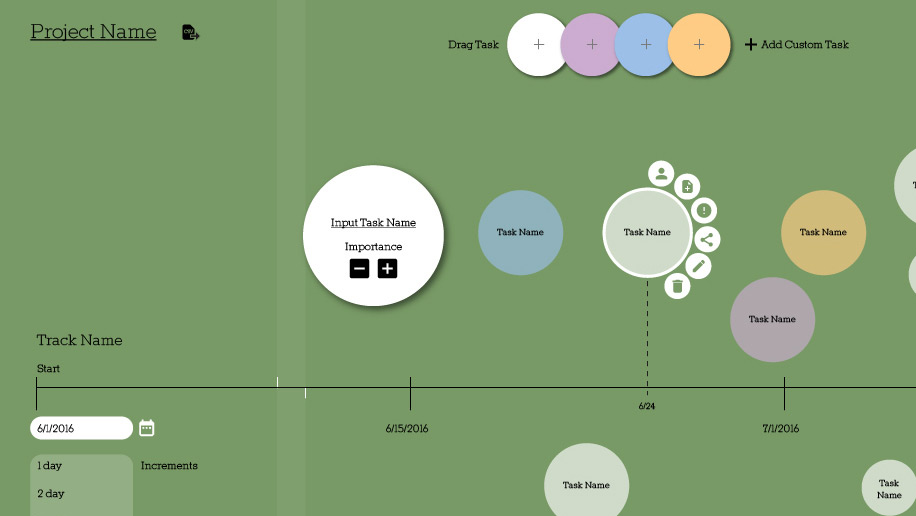
A while back when starting a product roadmap, I dreamt up an easy drag/drop interface that even I could use to scope out a plan. Our front-end team were going into a competition without an idea. Within a few hours I quickly mocked up my vision and provided them a design to compete with.
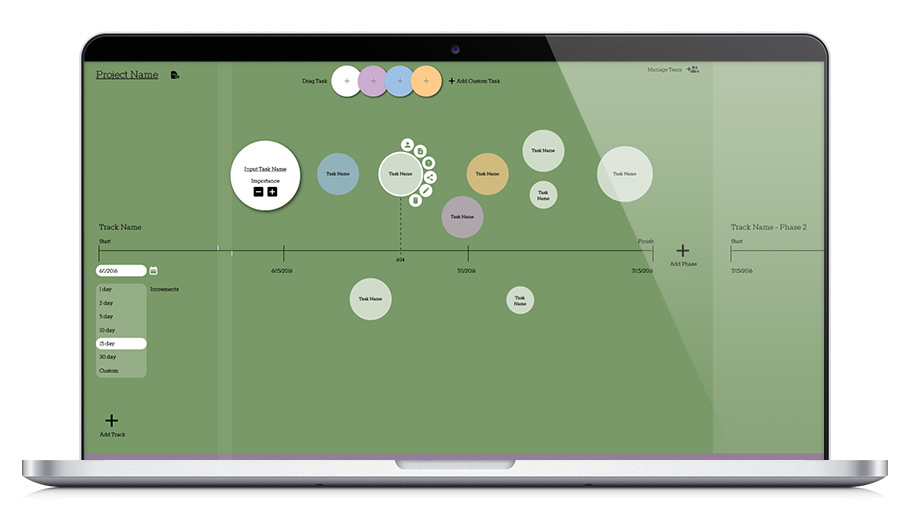
Set the increments for checking in as a team, or reporting out.
After dragging in a new task from the "add task" bubbles above, you can quickly name the task and size it by project weight
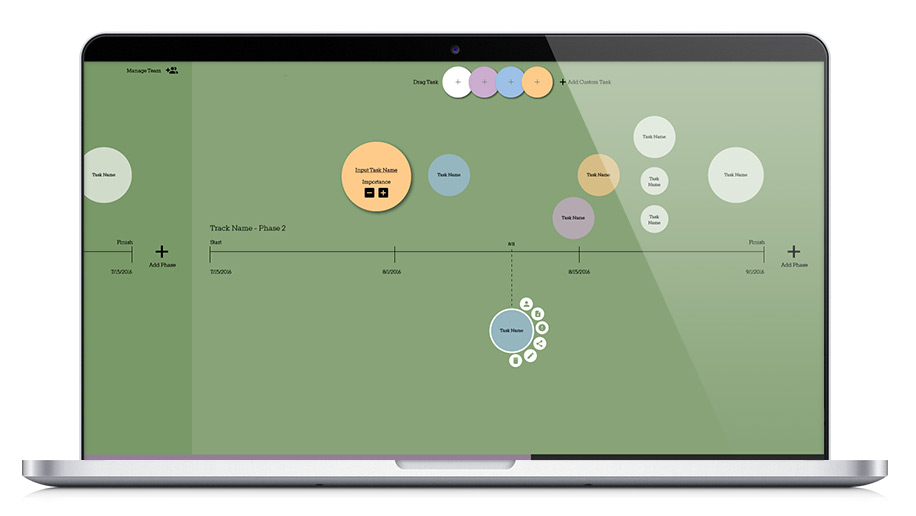
When you double click on a dot (or hold/press on a mobile device, a menu appears to add or assign team members, add documents, create an alert, share the task, edit or trash the task.
Adding tasks is easy, just drag from the different colored bubbles above, either predefined colors representing common tasks, or create a custom "task bubble".
Need additional phases with different time increments, or different deliverables? You can add limitless phases to your timeline.
Overlapping tasks on the timeline can simply be stacked. Place bubbles above or below the timeline according to your whim—priority, team member, follow up—the choice is yours.
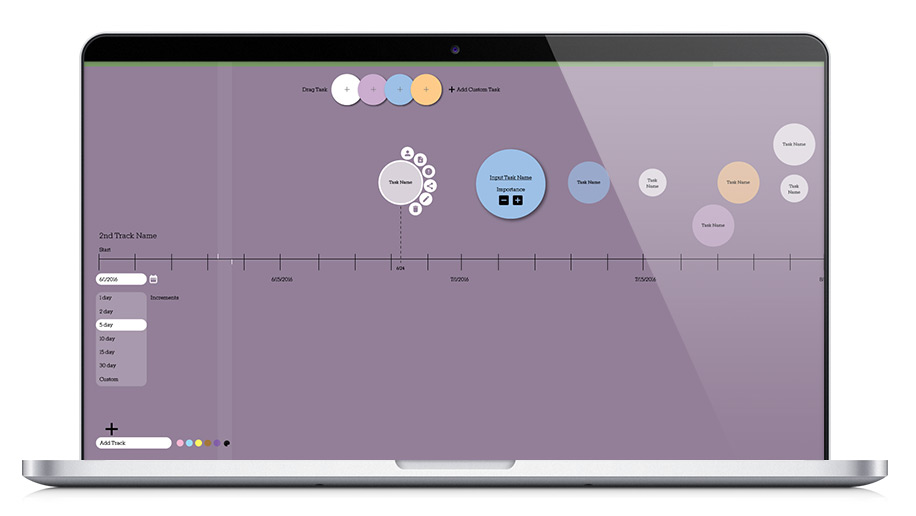
Add unlimited tracks for separate groups.
Size determines lift
The basic visual premise is the size of the dot signals the priority, importance or effort needed. At-a-glance you can see what jobs will take the most time, resources, thinking, and which ones are relatively small within your sprints.
Each team can overlap
With lots of moving parts happening at once on your project or product, you could create separate lanes for each group. Design has a track, development a track, QA it's own track, and you can collapse and look at each one individually or zoom out and look at all the tracks at once.